HWID device limit
This feature works only with a few client applications (which currently support sending a HWID header when receiving the subscription content).
HWID Device Limit is fully optional and disabled by default.
Overview
HWID Device Limit is a feature that allows you to restrict the number of devices that can use a subscription.
If the HWID Device Limit is enabled, Remnawave will use HWID and other headers to limit the number of devices that can use a subscription.
Remnawave will strictly enforce the limit on the number of devices that can add the subscription.
If HWID Device Limit is enabled and you do not disable the HWID limit for a user in the panel, it will be impossible for them to get a subscription if their client application does not send a HWID header.
Remnawave will return a 404 error if no HWID header is sent.
Configuration
You can configure HWID Device Limit in Subscription → Settings → HWID Device Limit. Also, there is possible to override settings for each External Squad.
User limits
You have the option to set a custom limit for each user. If no value is specified, the fallback limit (HWID_FALLBACK_DEVICE_LIMIT) will be used.
There is also an option to disable HWID Device Limit for each user.
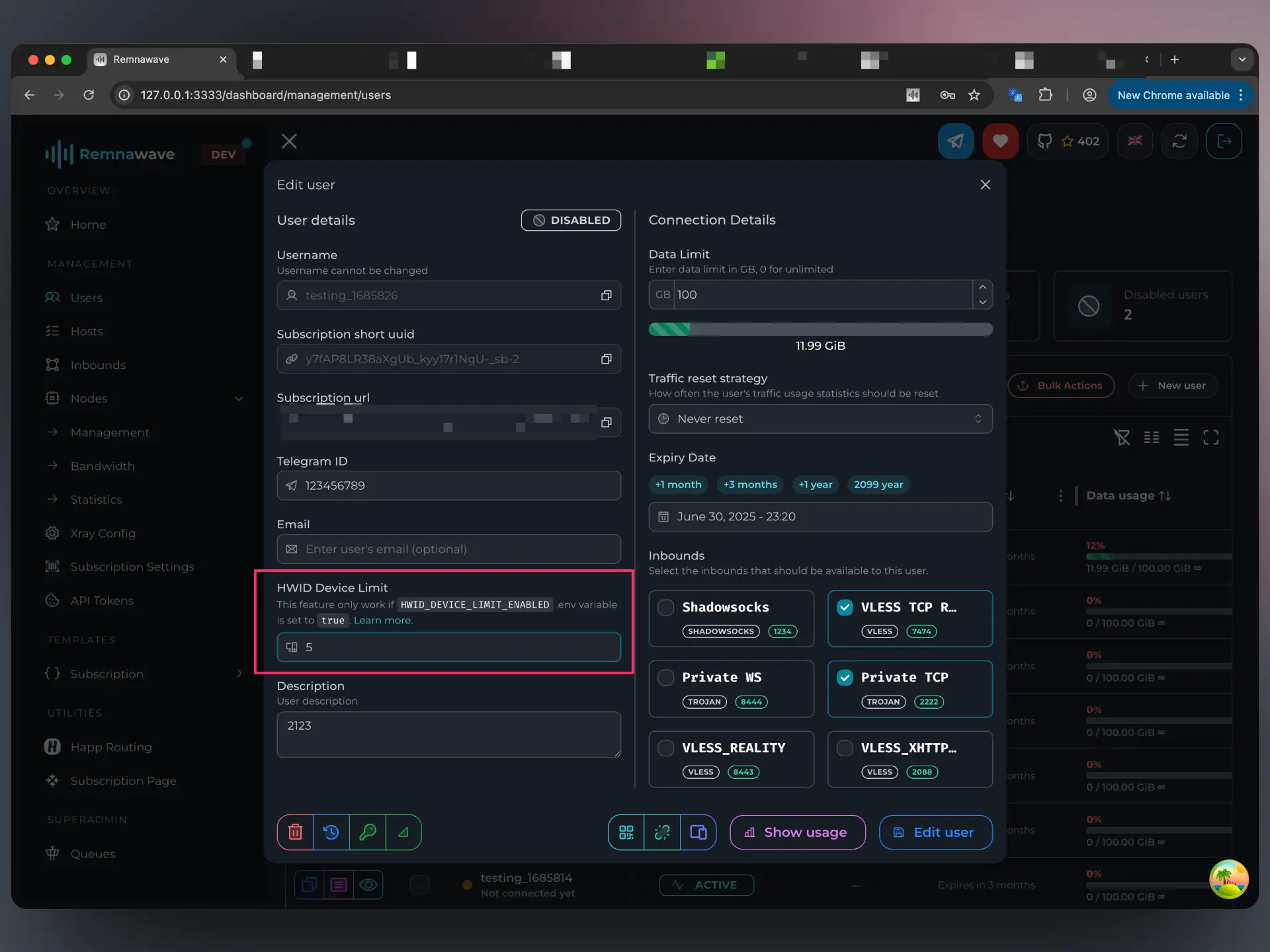
In the user card, you can see the list of devices that user has added the subscription onto. You have the option to delete devices from the list. Searching for devices by HWID is also available.
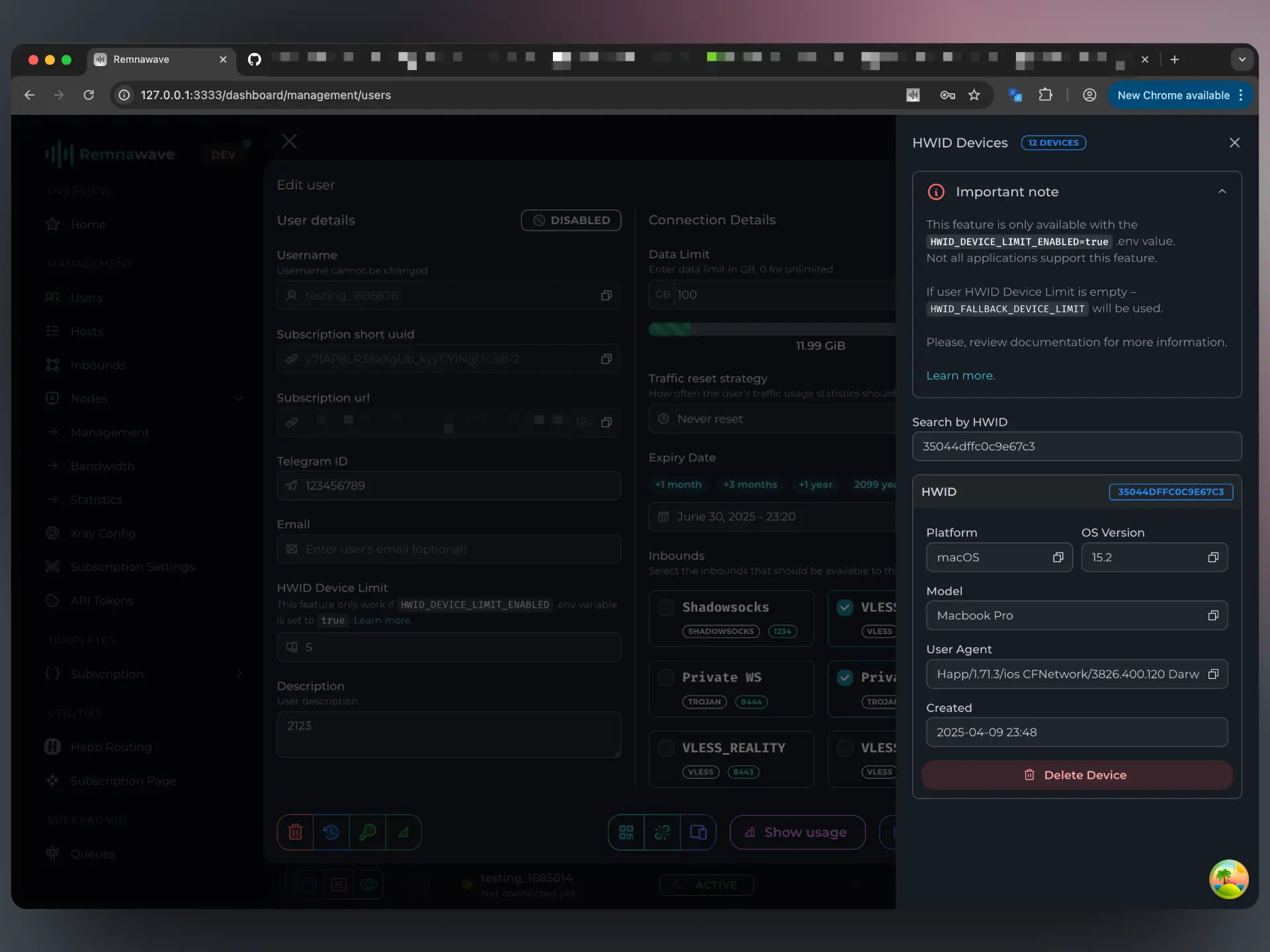
Supported applications
Not all client applications send a HWID header. Here is the list of applications which currently support this feature.
- Happ
- v2RayTun
- Forks by Remnawave community:
- Koala Clash (Clash Verge Rev fork)
- FlClashX (FlClash fork)
- Prizrak-Box (Pandora-Box fork)
- Throne - HWID disabled by default
- Shadowrocket - HWID disabled by default
- Passwall-OpenWRT
- Clash Mi - HWID disabled by default
- Karing - HWID disabled by default
- Incy
- RenoarX
- DeskBox
For app developers
A standard for providing headers is offered by Happ.
Remnawave is using these headers to identify the HWID and the device.
To enable support for the HWID feature in your client, the application should send the following headers when the user is adding the subscription.
HWID Format
Starting from Remnawave Panel v3.0.0, the incoming x-hwid header is
validated against the regular expression /^[a-zA-Z0-9=-]{10,64}$/.
In simple terms: the HWID must be 10 to 64 characters long and may only
contain Latin letters, digits, = and -.
If the HWID does not match, Remnawave ignores the header entirely.
x-hwid: UE42LJXu4DbiCaBv
x-device-os: iOS
x-ver-os: 18.3
x-device-model: Iphone 14 Pro Max
user-agent: <user_agent>
The only required item is x-hwid. Other headers are optional and can be used to identify the device more accurately.
If your application has the ability to enable additional features based on where the subscription is coming from, Remnawave can send a provider id in the response headers, which you can use to figure out where the subscription is coming from.
HWID Headers sent by Remnawave
Available since Remnawave Panel v2.7.5.
When HWID Device Limit is enabled, Remnawave includes the following headers in subscription responses:
| Header | Description |
|---|---|
x-hwid-active | Always true when HWID Device Limit is enabled on the panel side. |
x-hwid-not-supported | true if HWID Device Limit is enabled, but the client application did not send an x-hwid header. |
x-hwid-max-devices-reached | true if HWID Device Limit is enabled and the user has reached their maximum number of allowed devices. |
x-hwid-limit | true when the device limit has been reached. Sent for backwards compatibility with v2RayTun. |
These headers allow client applications to provide meaningful feedback to users — for example, displaying a warning when the device limit has been reached or when HWID support is missing.